Running Serverless Pods on Cloud Run for Anthos
With our upcoming tutorial on Running Serverless Pods on Cloud Run for Anthos, discover the practical steps to leverage this powerful platform, enabling scalability, simplified application management, and endless possibilities in the cloud-native environment.

Kentaro Wakayama
13 July 2023
In today's fast-paced digital landscape, organizations are constantly seeking innovative ways to scale their applications while maximizing agility and minimizing operational complexities. In our previous article we covered how you can deploy a simple application using Cloud Run. Now, we are focusing on Cloud Run for Anthos.
Cloud Run for Anthos is a groundbreaking solution that brings serverless computing capabilities to Kubernetes environments. This revolutionary platform enables enterprises to harness the power of serverless pods, combining the benefits of containerization and auto-scaling with the simplicity and efficiency of serverless computing.
In this article, we provide a comprehensive guide on running serverless pods on Cloud Run for Anthos, equipping developers with the knowledge and tools to unlock scalability, agility, and streamlined application management within a cloud-native ecosystem.
Prerequisites
Make sure that the prerequisites for cloud run for Anthos mentioned in this document are met before proceeding : https://cloud.google.com/anthos/run/docs/install/on-gcp/prerequisites
Deployment
-
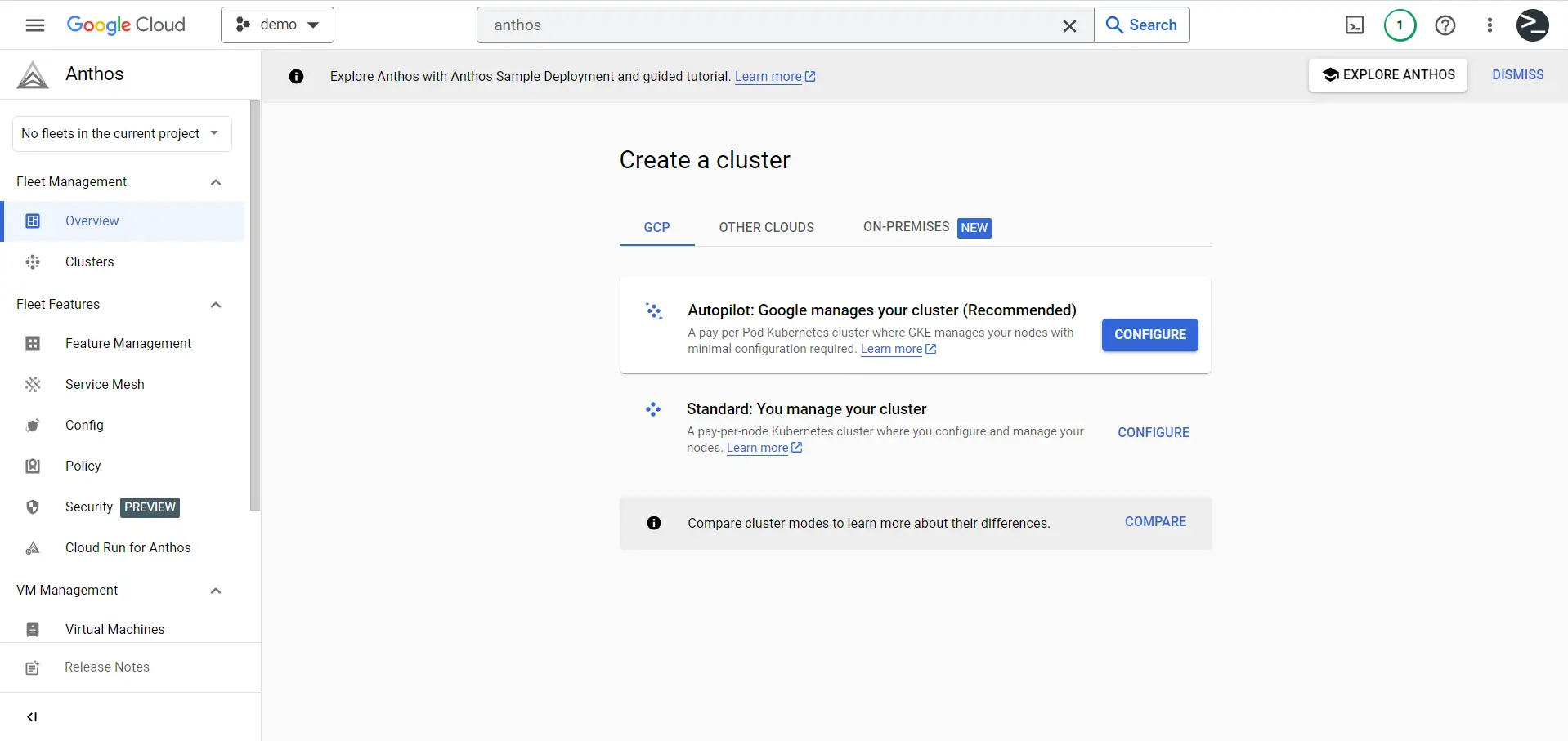
Deploy a GKE cluster. You can browse to Anthos overview and use the
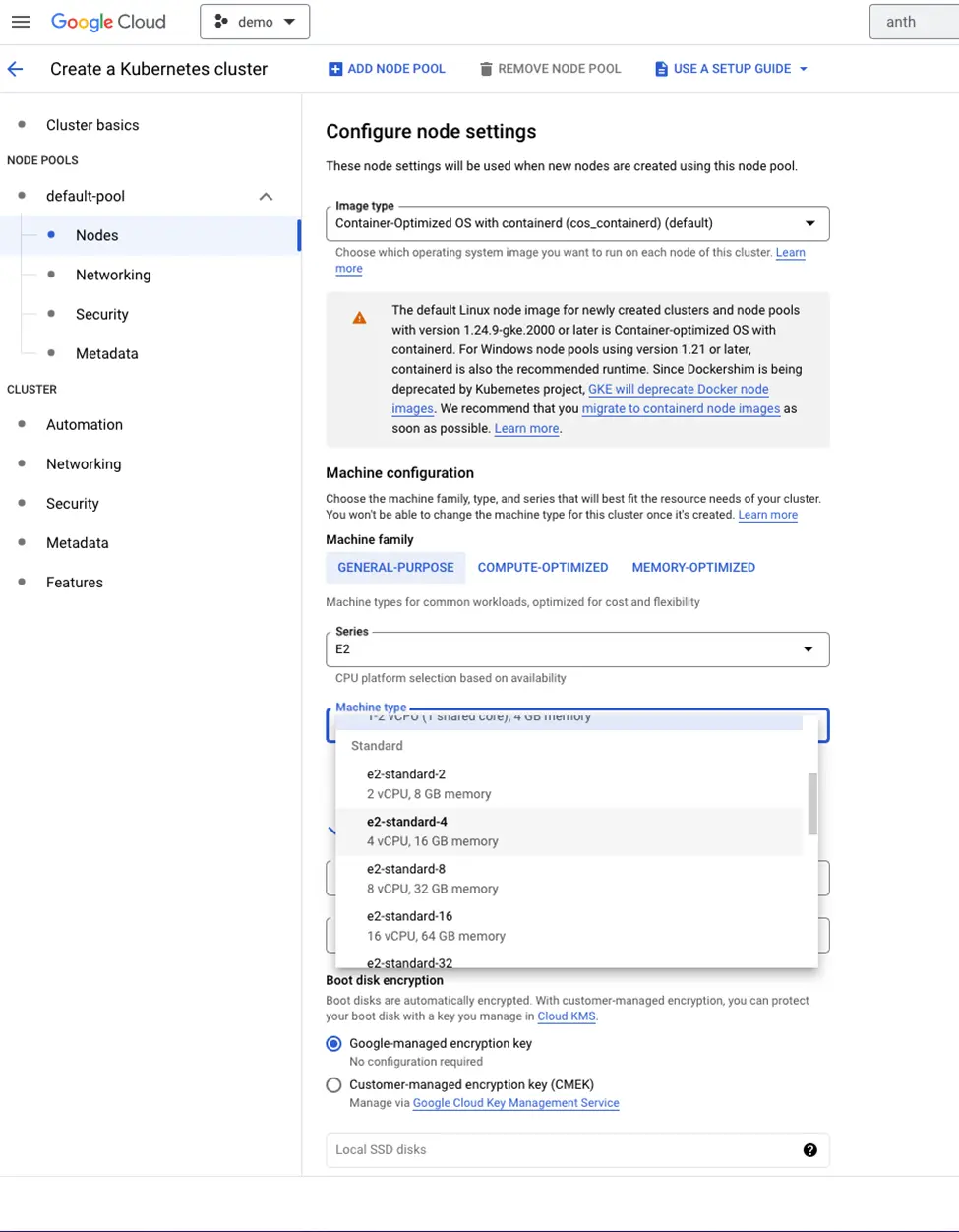
Create a clusterwizard. Note that you have to create a standard cluster and not the Autopilot cluster.
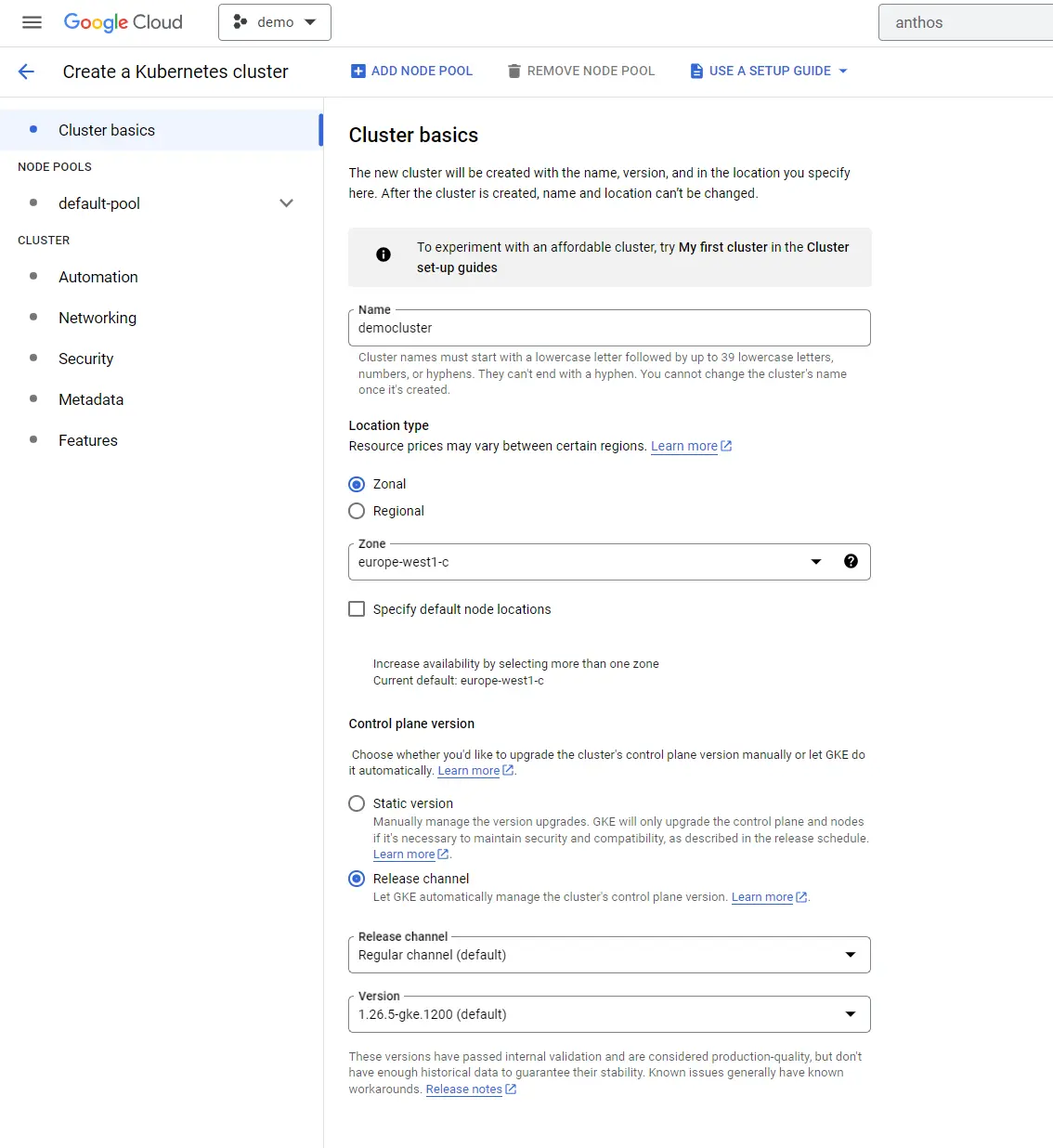
- In the cluster basics, provide the cluster name and zone.
-
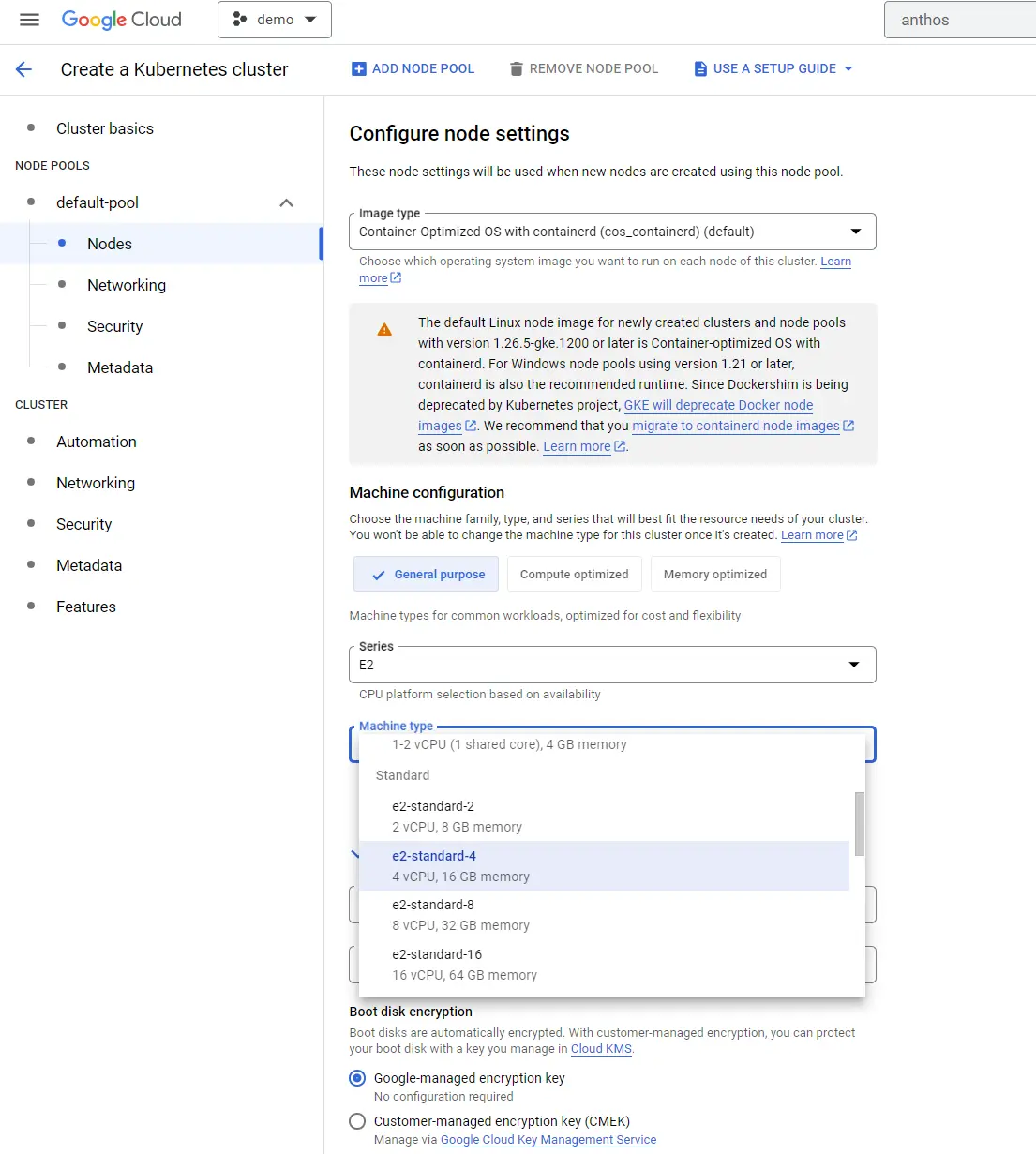
From the
default-pool>>Nodesselect a machine type which has minimum 4 vCPUs.
-
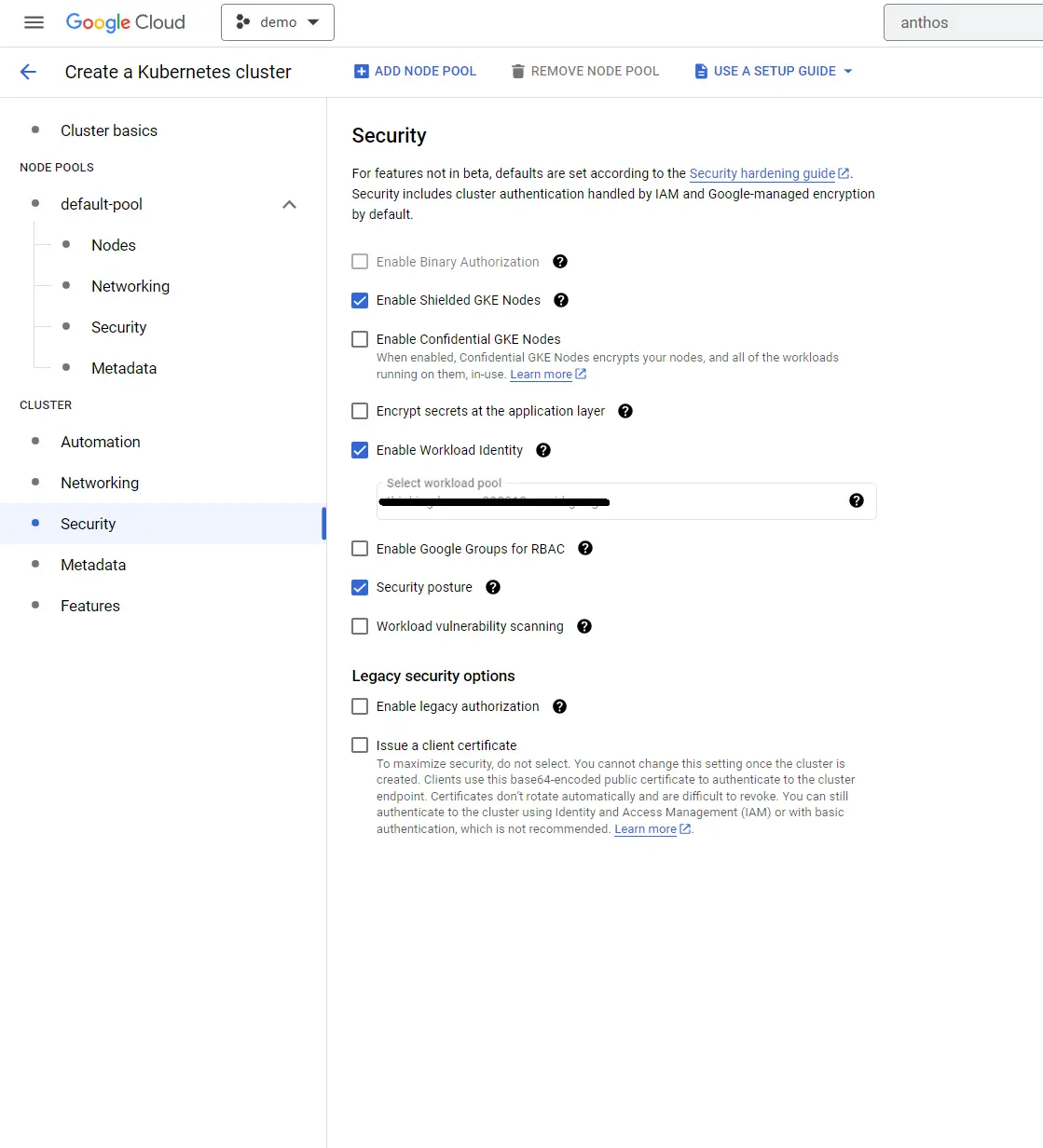
From
cluster>>Securityselect the optionEnable Workload Identity.
-
You can now go ahead and create the cluster. Once the cluster is created you can see it in the list of unregistered clusters. Click on
registerto register the cluster in theAnthos Fleet.

-
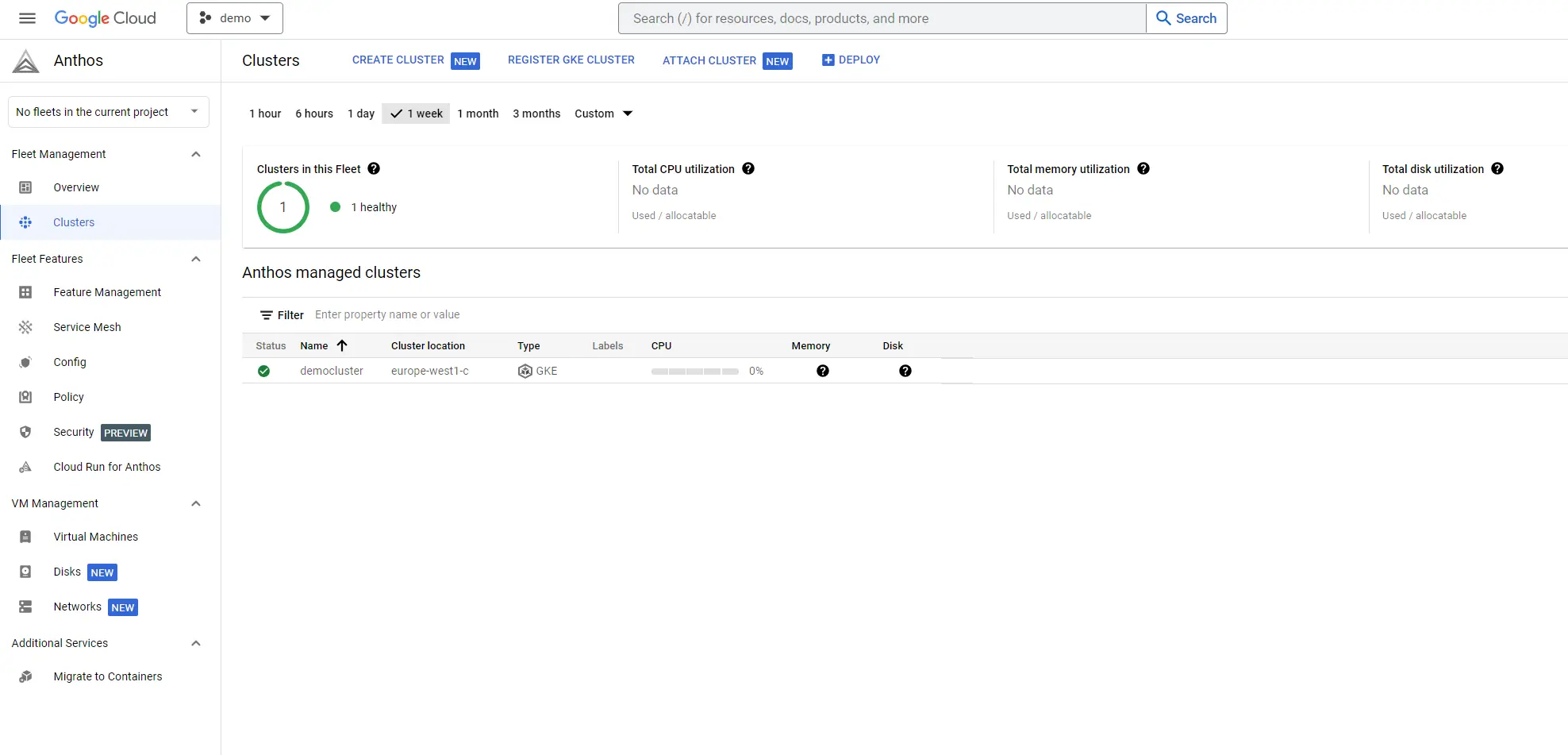
After a successful registration, you can see the server listed in
Anthos>>Clusters.
-
You can confirm the fleet membership using the following command. Replace the highlighted
project idwith the value specific to your environment.
gcloud container fleet memberships list
The output will look something like this.
NAME: democluster
EXTERNAL_ID: 7fec19af-62d9-4074-803a-a7cac16a31ee
LOCATION: global
- Create an output directory , which will be required for Anthos Service Mesh(ASM) installation in the next step
mkdir demo
- You can test the ASM installation using the below command. Replace the project id, fleet id and cluster name with values specific to your environment. Note that fleet id can't be same as the the project id
./asmcli validate
--project_id demo-project-123456
--cluster_name democluster
  --cluster_location europe-west1-c
--fleet_id demo-project-123456
  --output_dir /home/admin_/demo
  --option legacy-default-ingressgateway
The output will be as follows. You can ignore the warning messages in the output.
admin@cloudshell:~ (demo)$ ./asmcli validate
  --project_id demo-project-123456
  --cluster_name democluster
  --cluster_location europe-west1-c
  --fleet_id demo-project-123456
  --output_dir /home/admin_/demo
  --option legacy-default-ingressgateway
asmcli: Setting up necessary files...
asmcli: Using /home/admin_/demo/asm_kubeconfig as the kubeconfig...
asmcli: Checking installation tool dependencies...
asmcli: Fetching/writing GCP credentials to kubeconfig file...
asmcli: [WARNING]: nc not found, skipping k8s connection verification
asmcli: [WARNING]: (Installation will continue normally.)
asmcli: Getting account information...
asmcli: Downloading kpt..
  % Total    % Received % Xferd  Average Speed   Time  Time     Time  Current
  Dload  Upload   Total   Spent  Left  Speed
  0     0  0 0    0 0 0      0 --:--:-- --:--:-- --:--:-- 0
100 11.8M  100 11.8M    0 0  7097k      0  0:00:01  0:00:01 --:--:-- 12.3M
asmcli: Downloading ASM..
% Total    % Received % Xferd  Average Speed   Time    Time Time  Current
  Dload  Upload   Total   Spent  Left  Speed
100 24.4M  100 24.4M    0 0  10.2M      0  0:00:02  0:00:02 --:--:-- 10.2M
asmcli: Downloading ASM kpt package...
fetching package "/asm" from "https://github.com/GoogleCloudPlatform/anthos-service-mesh-packages" to "asm"
fetching package "/samples" from "https://github.com/GoogleCloudPlatform/anthos-service-mesh-packages" to "samples"
asmcli: Verifying cluster registration.
asmcli: Verified cluster is registered to demo-project-123456
asmcli: Checking required APIs...
asmcli: Verifying cluster registration.
asmcli: Verified cluster is registered to demo-project-123456
asmcli: Checking for project demo-project-123456...
asmcli: Reading labels for europe-west1-c/democluster...
asmcli: [WARNING]: Cluster label not found - mesh_id=proj-75345757939
asmcli: [ERROR]: One or more required cluster labels were not found. Please label them and retry, or run the script with the '--enable_cluster_labels' flag to allow the script to enable them on your behalf. Alternatively, use --enable_all|-e to allow this tool to handle all dependencies.
asmcli: Checking for istio-system namespace...
asmcli: [ERROR]: The istio-system namespace does not exist. Please create the `istio-system` and retry, or run the script with the '--enable_namespace_creation' flag to allow the script to enable it on your behalf. Alternatively, use `--enable_all|-e` to allow this tool to handle all dependencies.
asmcli: Confirming node pool requirements for demo-project-123456/europe-west1-c/democluster...
asmcli: Checking Istio installations...
asmcli: [WARNING]: There is no way to validate that the meshconfig API has been initialized.
asmcli: [WARNING]: This needs to happen once per GCP project. If the API has not been initialized
asmcli: [WARNING]: for demo-project-123456, please re-run this tool with the --enable_gcp_components
asmcli: [WARNING]: flag. Otherwise, installation will succeed but Anthos Service Mesh
asmcli: [WARNING]: will not function correctly.
asmcli: [WARNING]: Please see the errors above.
- Install ASM using the below command after replacing the project id , clustername and fleet id with values specific to your environment
./asmcli install
  --project_id demo-project-123456
  --cluster_name democluster
  --cluster_location europe-west1-c
  --fleet_id demo-project-123456
  --output_dir /home/admin_/demo
  --option legacy-default-ingressgateway
  --enable_all
  --ca mesh_ca
The output will be as follows.
asmcli: Setting up necessary files…
asmcli: Using /home/admin_/demo/asm_kubeconfig as the kubeconfig...
asmcli: Checking installation tool dependencies...
asmcli: Fetching/writing GCP credentials to kubeconfig file...
asmcli:[WARNING]: nc not found, skipping k8s connection verification
asmcli: [WARNING]: (Installation will continue normally.)
asmcli: Getting account information...
asmcli: Verifying cluster registration.
asmcli: Verified cluster is registered to demo-project-123456
asmcli: Enabling required APIs...
asmcli: Verifying cluster registration.
asmcli: Verified cluster is registered to demo-project-123456
asmcli: Verifying cluster registration.
asmcli: Verified cluster is registered to demo-project-123456
asmcli: Checking for project demo-project-123456...
asmcli: Reading labels for europe-west1-c/democluster...
asmcli: Adding labels to europe-west1-c/democluster...
asmcli: Querying for core/account...
asmcli: Binding admin@codersociety.com to cluster admin role...
clusterrolebinding.rbac.authorization.k8s.io/admin-cluster-admin-binding created
asmcli: Creating istio-system namespace...
namespace/istio-system created
asmcli: Confirming node pool requirements for demo-project-123456/europe-west1-c/democluster...
asmcli: Checking Istio installations...
asmcli: Initializing meshconfig API...
asmcli: Cluster has Membership ID democluster in the Hub of project demo-project-123456
asmcli: Binding user:admin@codersociety.com to required IAM roles...
asmcli: Configuring kpt package...
asm set 16 field(s) of setter "gcloud.container.cluster" to value "democluster"
asm set 20 field(s) of setter "gcloud.core.project" to value "demo-project-123456"
asm set 2 field(s) of setter "gcloud.project.projectNumber" to value "75345757939"
asm set 16 field(s) of setter "gcloud.compute.location" to value "europe-west1-c"
asm set 1 field(s) of setter "gcloud.compute.network" to value "demo-project-123456-default"
asm set 3 field(s) of setter "gcloud.project.environProjectNumber" to value "743457055936"
asm set 2 field(s) of setter "anthos.servicemesh.rev" to value "asm-1154-4"
asm set 5 field(s) of setter "anthos.servicemesh.tag" to value "1.15.4-asm.4"
asm set 3 field(s) of setter "anthos.servicemesh.trustDomain" to value "demo-project-123456.svc.id.goog"
asm set 1 field(s) of setter "anthos.servicemesh.tokenAudiences" to value "istio-ca,demo-project-123456.svc.id.goog"
asm set 1 field(s) of setter "anthos.servicemesh.spiffeBundleEndpoints" to value "demo-project-123456.svc.id.goog|https://storage.googleapis.com/mesh-ca-resources/spiffe_bundle.json"
asm set 3 field(s) of setter "anthos.servicemesh.created-by" to value "asmcli-1.15.4-asm.4.config1"
asm set 2 field(s) o setter "anthos.servicemesh.idp-url" to value "https://container.googleapis.com/v1/projects/demo-project-123456/locations/europe-west1-c/clusters/democluster"
asm set 2 field(s) of setter "anthos.servicemesh.trustDomainAliases" to value "demo-project-123456.svc.id.goog"
namespace/istio-system labeled
asmcli: Installing validation webhook fix...
service/istiod created
asmcli: Installing ASM control plane...
Thank you for installing Istio 1.15.  Please take a few minutes to tell us about your install/upgrade experience!  https://forms.gle/SWHFBmwJspusK1hv6
asmcli: ...done!
asmcli: Installing ASM CanonicalService controller in asm-system namespace...
namespace/asm-system created
customresourcedefinition.apiextensions.k8s.io/canonicalservices.anthos.cloud.google.com configured
role.rbac.authorization.k8s.io/canonical-service-leader-election-role created
clusterrole.rbac.authorization.k8s.io/canonical-service-manager-role created
clusterrole.rbac.authorization.k8s.io/canonical-service-metrics-reader created
serviceaccount/canonical-service-account created
rolebinding.rbac.authorization.k8s.io/canonical-service-leader-election-rolebinding created
clusterrolebinding.rbac.authorization.k8s.io/canonical-service-manager-rolebinding created
clusterrolebinding.rbac.authorization.k8s.io/canonical-service-proxy-rolebinding created
service/canonical-service-controller-manager-metrics-service created
deployment.apps/canonical-service-controller-manager created
asmcli: Waiting for deployment...
deployment.apps/canonical-service-controller-manager condition met
asmcli: ...done!
asmcli:
asmcli: *****************************
client version: 1.15.4-asm.4
control plane version: 1.15.4
data plane version: 1.15.4-asm.4 (2 proxies)
asmcli: *****************************
asmcli: The ASM control plane installation is now complete.
asmcli: To enable automatic sidecar injection on a namespace, you can use the following command:
asmcli: kubectl label namespace <NAMESPACE> istio-injection- istio.io/rev=asm-1154-4 --overwrite
asmcli: If you use 'istioctl install' afterwards to modify this installation, you will need
asmcli: to specify the option '--set revision=asm-1154-4' to target this control plane
asmcli: instead of installing a new one.
asmcli: To finish the installation, enable Istio sidecar injection and restart your workloads.
asmcli: For more information, see:
asmcli: https://cloud.google.com/service-mesh/docs/proxy-injection
asmcli: The ASM package used for installation can be found at:
asmcli: /home/admin_/demo/asm
asmcli: The version of istioctl that matches the installation can be found at:
asmcli: /home/admin_/demo/istio-1.15.4-asm.4/bin/istioctl
asmcli: A symlink to the istioctl binary can be found at:
asmcli: /home/admin_/demo/istioctl
asmcli: The combined configuration generated for installation can be found at:
asmcli: /home/admin_/demo/asm-1154-4-manifest-raw.yaml
asmcli: The full, expanded set of kubernetes resources can be found at:
asmcli: /home/admin_/demo/asm-1154-4-manifest-expanded.yaml
asmcli: *****************************
asmcli: Successfully installed ASM.
- Enable cloud run in the project using below command after replacing the project id. If cloud run is already enabled in the project you will get the below message
admin@cloudshell:~ (demo-project-123456)$ gcloud container fleet cloudrun enable --project=demo-project-123456

CloudRun Feature for project [demo-project-123456] is already enabled
- Enable cloud run for the cluster. You should get output as below
admin@cloudshell:~ (demo-project-123456)$ gcloud container hub cloudrun apply --gke-cluster=europe-west1-c/democluster

kubeconfig entry generated for democluster.

Added CloudRun CR
-
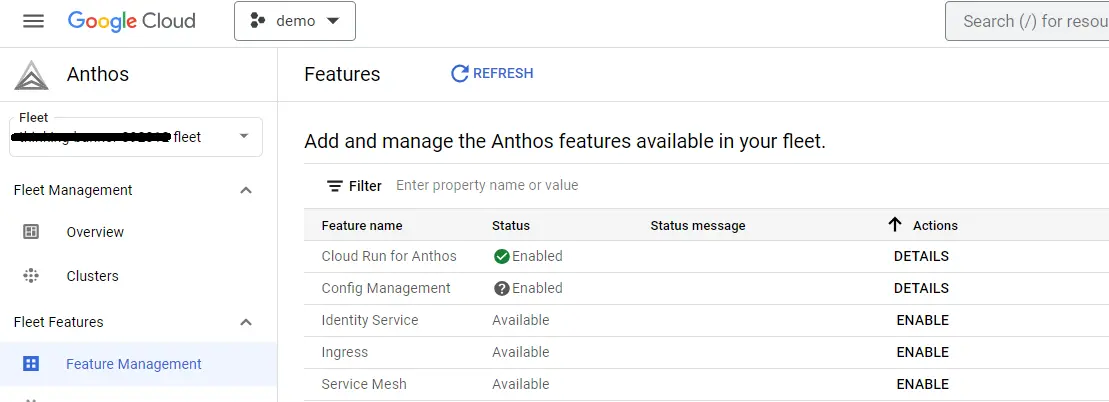
After some time if you browse to
Anthos>>Feature management>>Cloud Run for Anthos>>Details, you can see that the status will be shown as enabled.
-
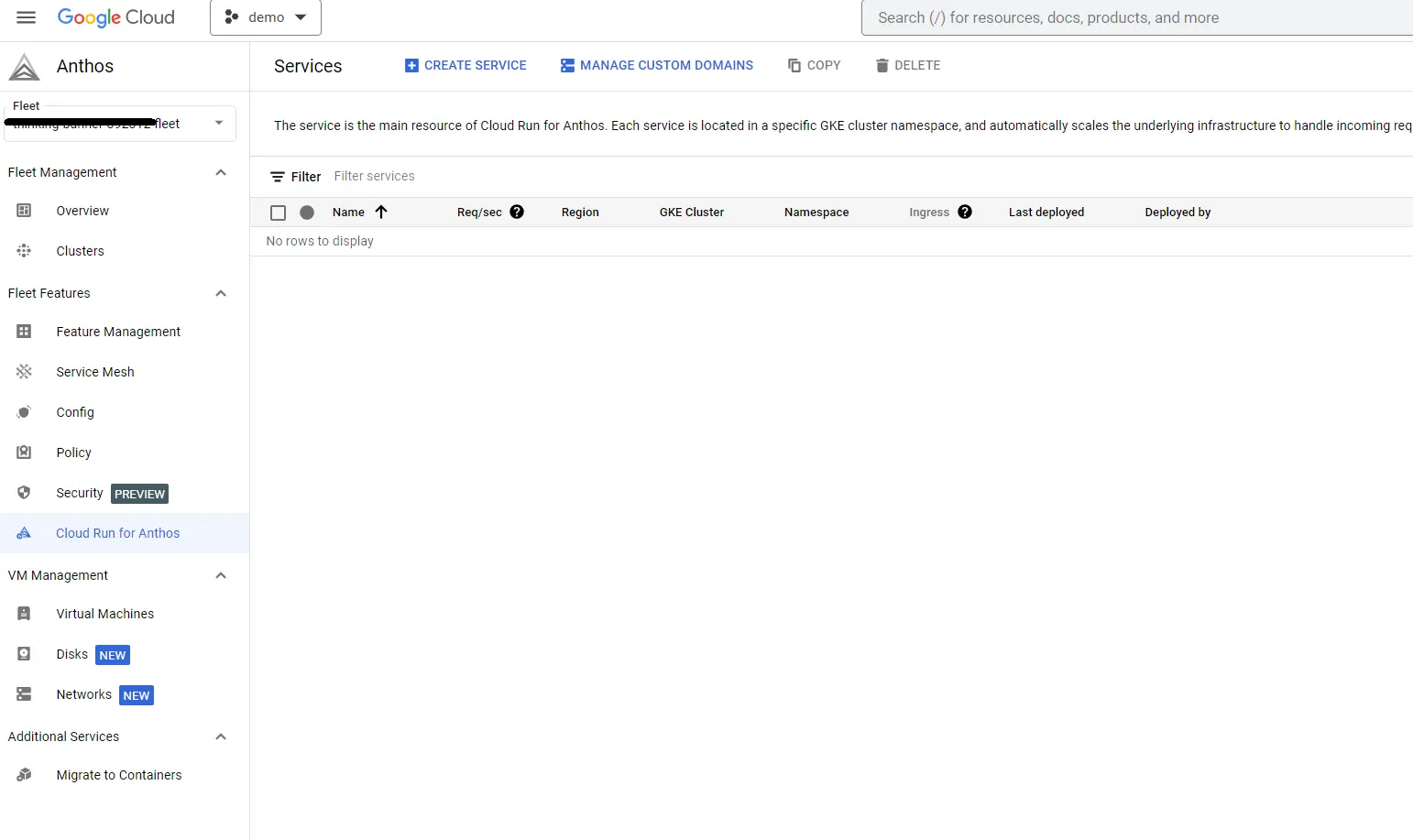
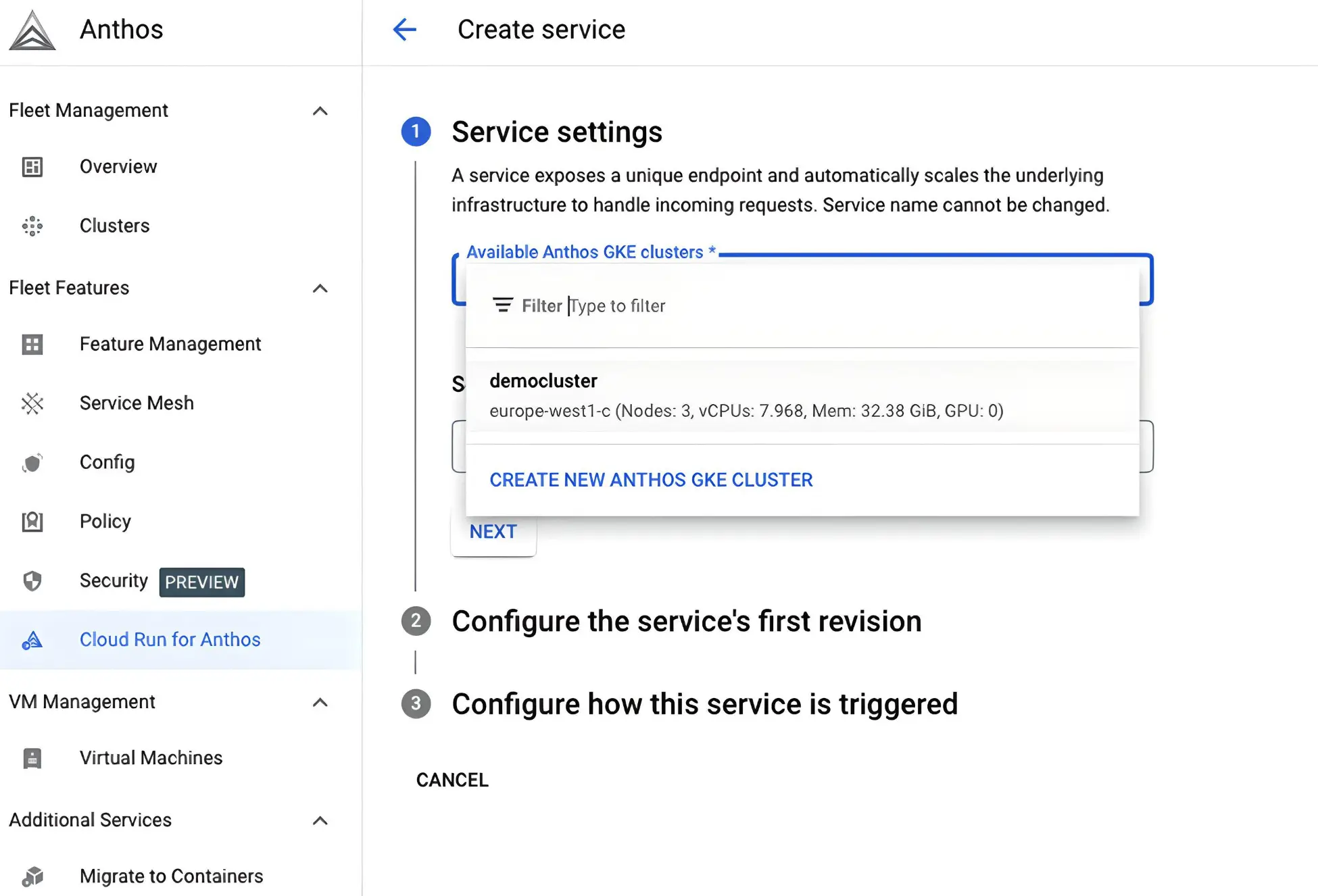
Now that Cloud run for Anthos is enabled for your cluster, you can start deploying pods. Browse to
Anthos>>Cloud run for Anthos>>Create service.
- Select the cluster from the drop down list.
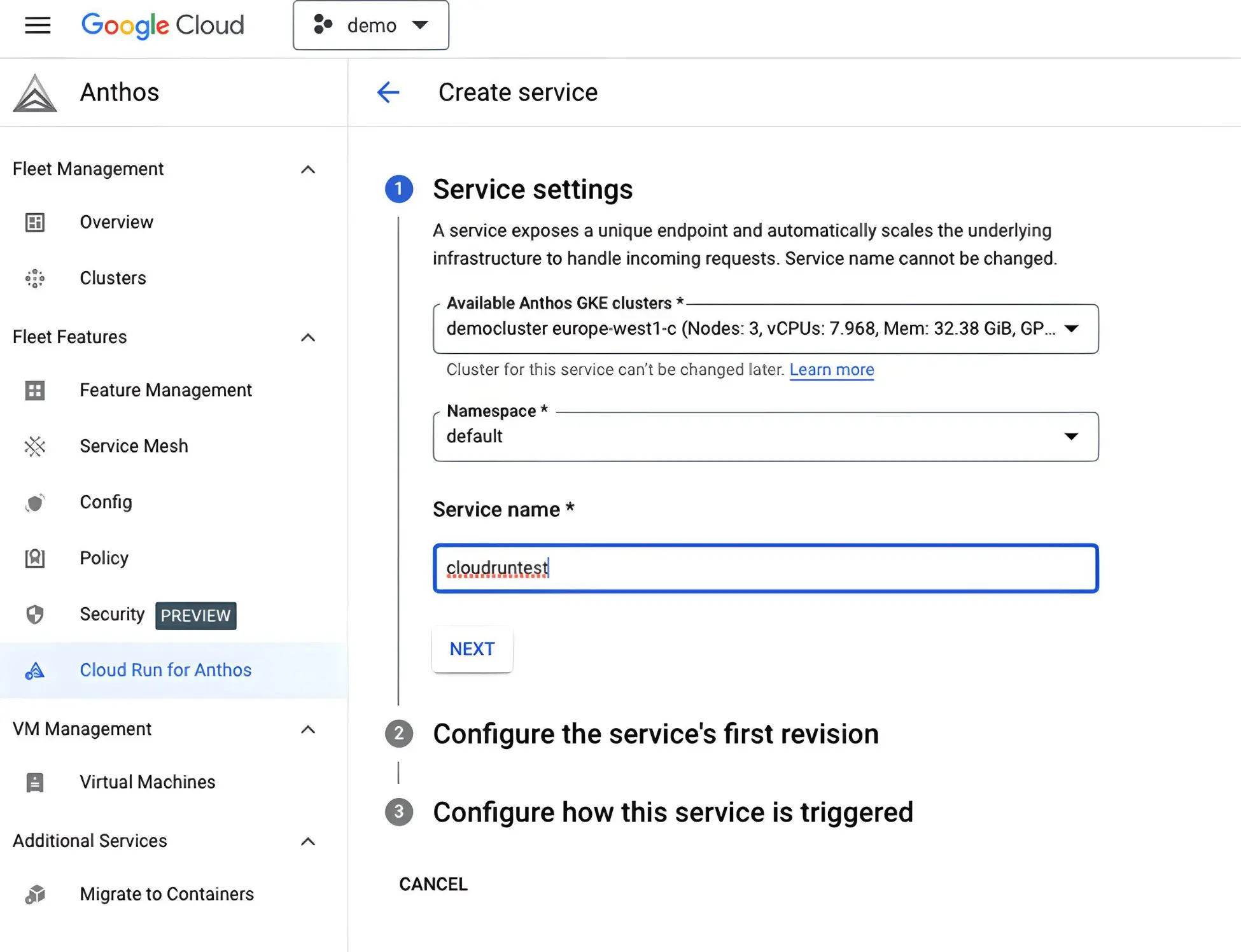
- Provide a name for the service. Click on next.
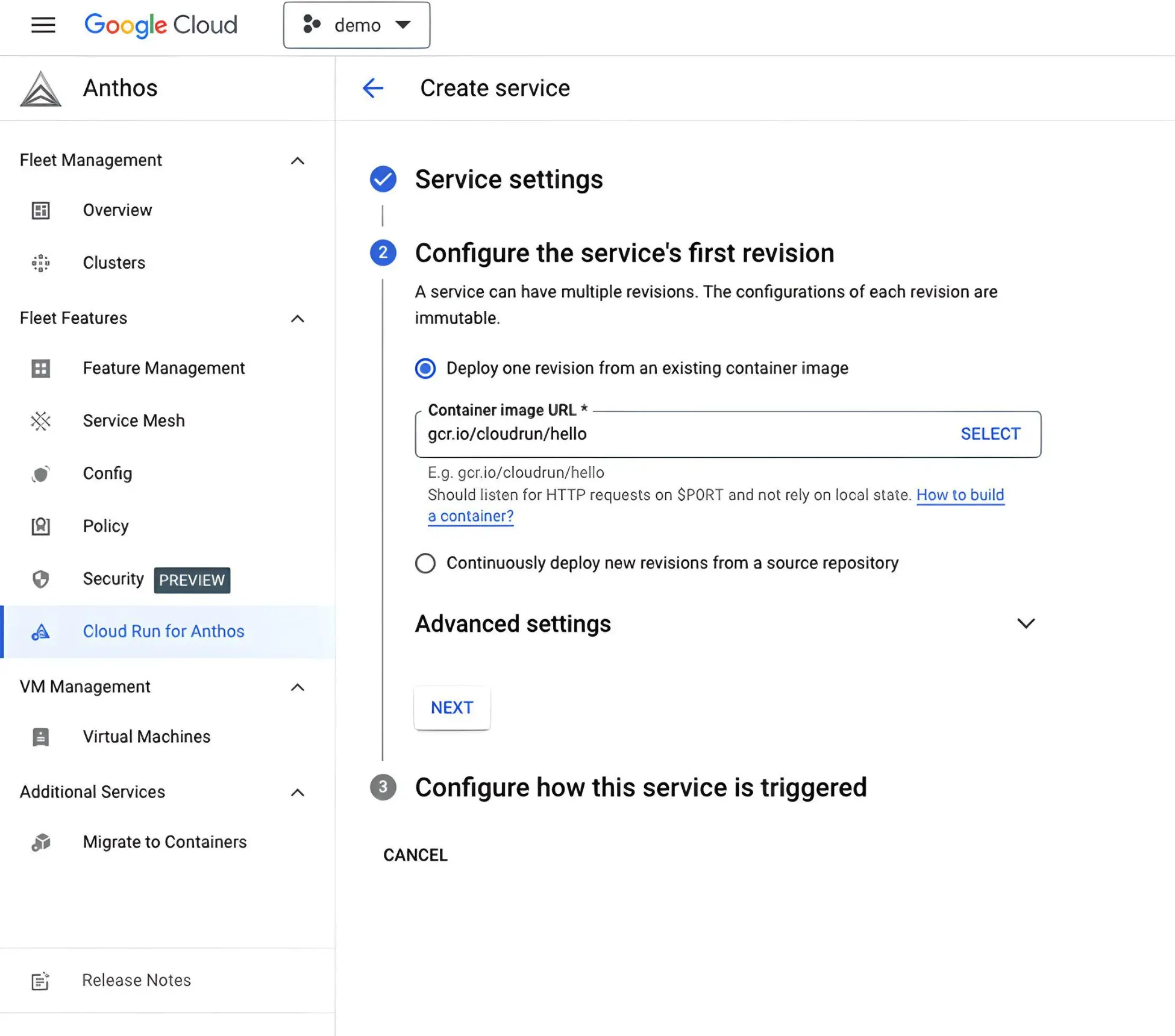
- Select the container registry and the container image. We will select a demo container image in this example. Configure the revision and click on next.
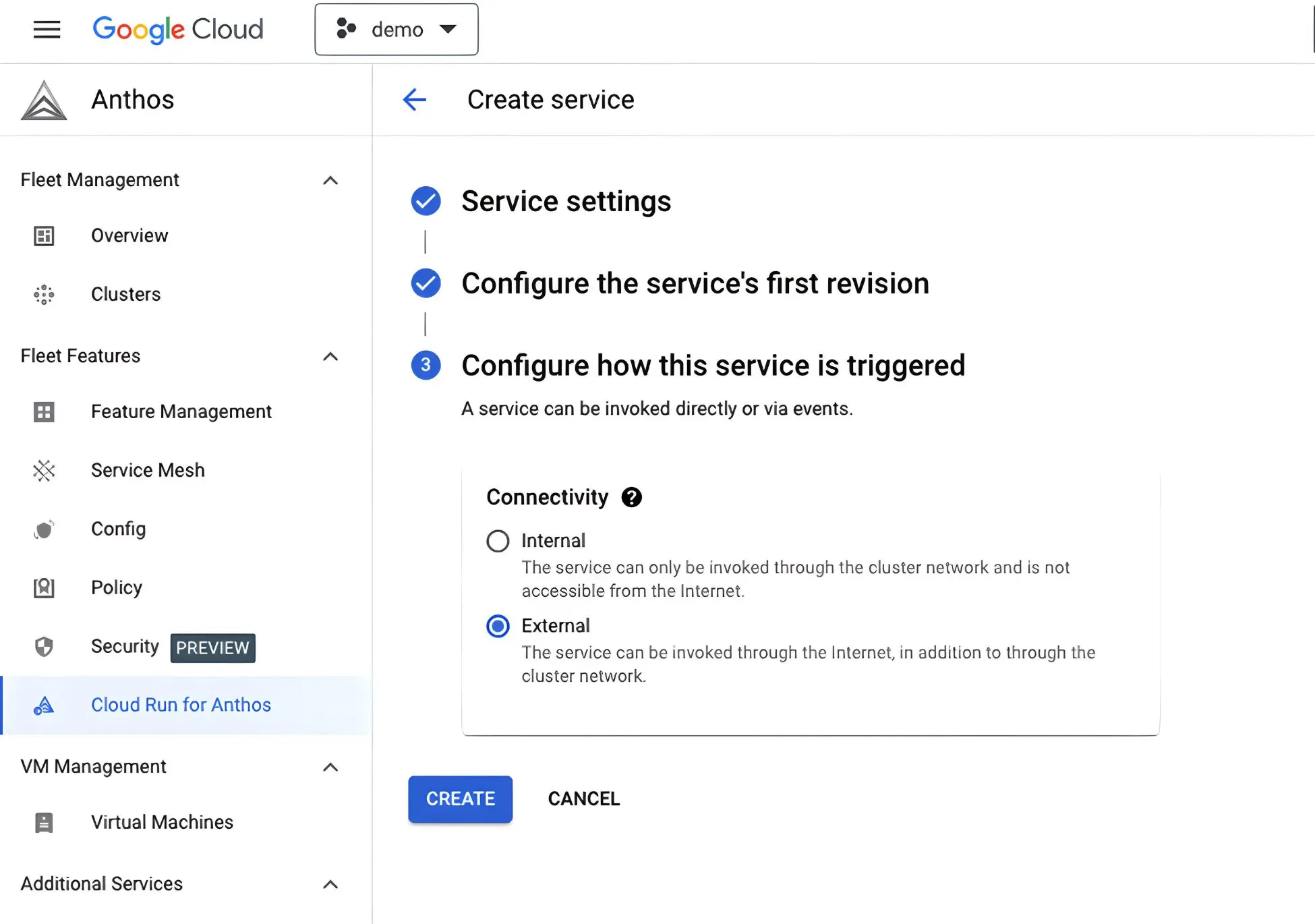
-
In the next step, select whether you want to access the service from cluster network or the external network. Click on
create.
-
Once the service is deployed, you can see the
URLthat can be used it.
-
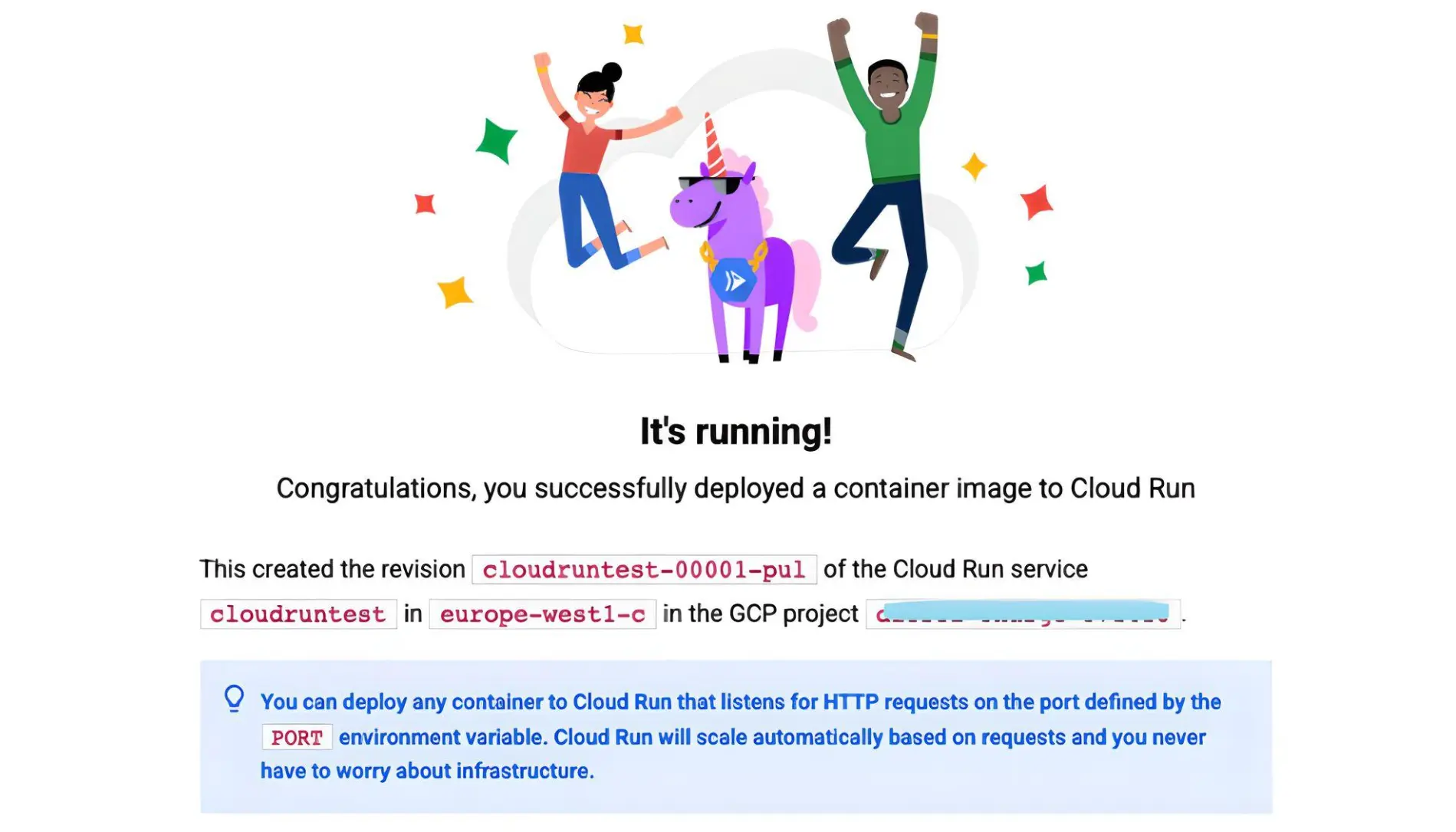
Once you click on the
URL, you can access the pod deployed on Cloud run for Anthos.
Conclusion
Cloud Run for Anthos is a transformative platform that brings serverless container development and deployment to GKE environments.
With Cloud Run for Anthos, developers can package and deploy applications in the cloud without needing in-depth knowledge of GKE's intricacies. By unlocking the power of serverless containers, organizations can optimize resource utilization, enhance scalability, and streamline application management. Cloud Run for Anthos opens up a world of possibilities, enabling hosting of web sites, REST API backends, event-driven workflows, scheduled tasks, and small-scale data processing, all while paying for only the necessary resources to run the application.
For our latest insights and updates, follow us on LinkedIn